


RESPONSIVE
CROSS-PLATFORM
AAA
+ UGM
TOOLING SERVICES
Every tool is designed to eliminate repetitive work, reduce cross-platform complexity, and help UI teams ship faster with greater consistency.
Fluid UI Image is the first
Fluid UI Kit component.
More to come.
SCROLL DOWN TO SAVE TIME AND MONEY...
DESIGNED TO SAVE TIME BUILT TO SCALE
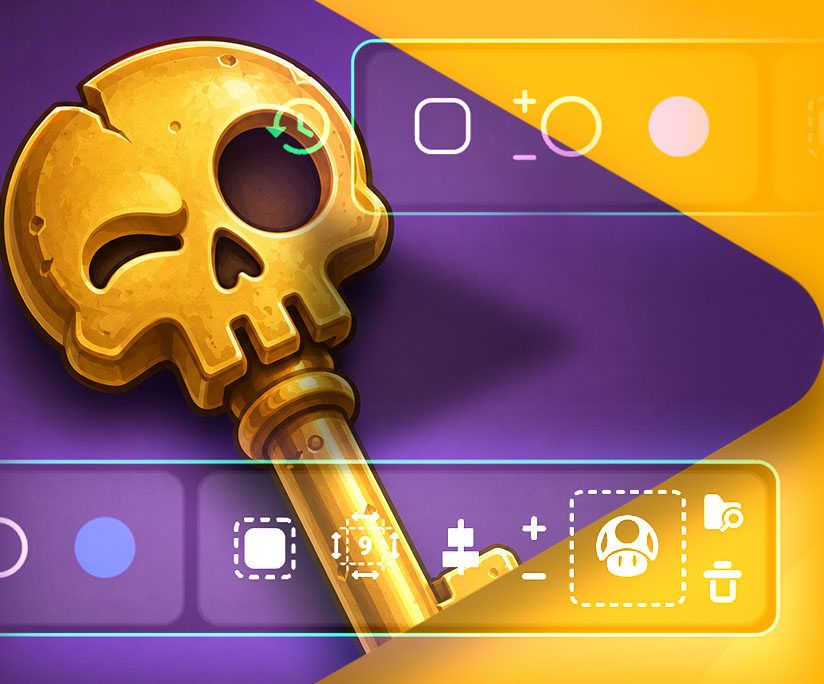
TOOLS
TO CREATE
SMARTER UI

IN ONE AAA GAME UGM PANELS GOT DEPRECATED FOR ALL THE UI TEAMS IN ORDER TO USE OUR OWN UI TOOLS
TURNING YEARS
OF EXPERIENCE
INTO A BETTER
WORKFLOW
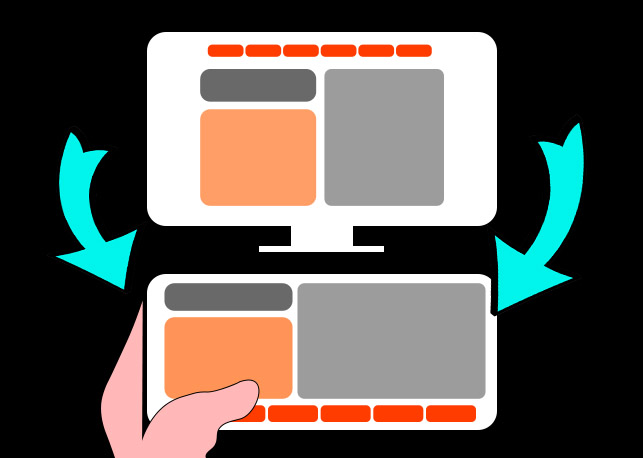
Bring your GUI layouts and visual ideas to life in an instant. Prove you point fast, then swap the visuals and you are good to go.

Cross-platform & responsive
brush image in Unreal engine
Fluid Image reinvents UMG’s Image Brush as a template wizard and WYSIWYG editor for rich, material-centric visuals with responsive, platform-agnostic rules—laying the foundation for Fluid UI layouts and grids.

RESPONSIVE
CROSS-PLATFORM
AAA
+ UGM
Responsive breakpoints
How a single override system reduced UI duplication across platforms.
PC, CONSOLE & MOBILE AAA UI
RESPONSIVE
BREAKPOINTS
Reduce cross-platform bugs by adapting UI through platform, input, and aspect-ratio overrides instead of maintaining multiple implementations - I've been there and that was a very bad idea!
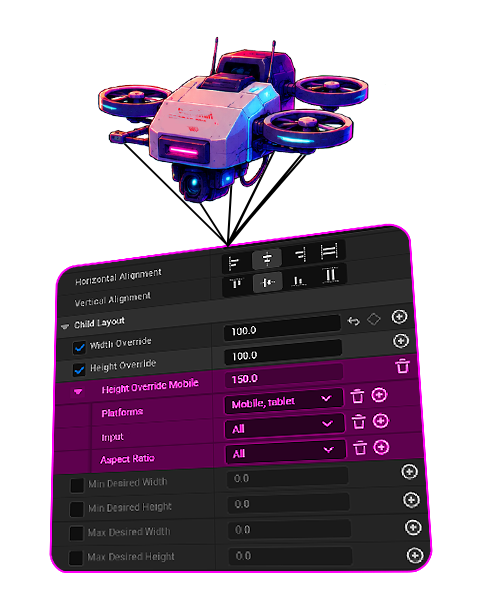
BUILD ONCE. SCALE EVERYWHERE.
Rather than duplicating widgets or creating platform variants, every screen intelligently adapts using configurable overrides that respect each platform's best practices. The result is lower maintenance costs, fewer regression bugs, better accessibility compliance, and a consistent player experience across PC, console, mobile, handheld, and future devices. Especially in Live Ops environments, one maintainable implementation means faster updates, safer releases, and significantly less time spent fixing the same problem multiple times.
WHY BREAKPOINTS MATTER
One scalable version instead of platform variants
Responsive Breakpoints replace the need to maintain separate widgets or duplicate layouts for every platform. Platform, input, and aspect-ratio differences are handled through configurable overrides while sharing the same widget hierarchy and materials. This keeps the project easier to understand, simplifies future updates, and dramatically reduces the amount of duplicated UI code and assets that teams need to maintain over time.
Fewer cross-platform bugs and regression issues
Maintaining multiple versions of the same interface inevitably introduces inconsistencies and synchronization problems. By centralizing platform-specific behavior into a single responsive implementation, every improvement, bug fix, or feature update automatically benefits every supported platform. Teams spend less time chasing regressions and more time building new features with confidence.
Lower production and maintenance costs
Cross-platform UI becomes increasingly expensive as projects grow and Live Ops content accumulates. A responsive, material-centric workflow minimizes repetitive implementation, simplifies future modifications, and reduces long-term technical debt. Less duplicated work means fewer development hours, smaller QA efforts, and a UI pipeline that remains sustainable throughout the entire lifecycle of the product.
Faster iteration throughout Live Ops production
Live Ops demands rapid iteration without compromising stability. Responsive Breakpoints allow designers and UI developers to make changes once and propagate them across supported platforms through reusable layouts, materials, and responsive rules. New content reaches players faster, updates become safer to deploy, and production teams spend more time improving the player experience instead of rebuilding existing interfaces.
PLATFORM OVERRIDE
Every platform comes with its own conventions, usability expectations, performance constraints, and certification requirements. Teams can deliver native experiences on every platform while maintaining a single scalable production pipeline. The result is fewer platform-specific bugs, lower maintenance costs, and faster Live Ops updates.
INPUT OVERRIDE
Players expect the interface to feel natural whether they're using a mouse, controller, touch screen, or keyboard. Input Overrides tailor interaction, navigation, spacing, prompts, and feedback to each control scheme while preserving the same underlying UI. This improves usability, accessibility, and player confidence without increasing implementation complexity.
ASPECT-RATIO OVERRIDE
Games must support an ever-growing range of resolutions, aspect ratios, handheld devices, ultrawide monitors, and future hardware. Aspect-Ratio Overrides ensure layouts remain balanced, readable, and visually consistent across every display. The result is a more robust UI, fewer layout regressions, and a scalable foundation ready for years of content updates.
do you or your team need to learn materials?

Material-centric UI methodology
LEARN RESPONSIVE
PLATFORM-AGNOSTIC
UI IN UNREAL
6 courses - 12h videos - Fluid plugin
Do you have any questions?
